Billing and your account
Change your plan and check storage usage
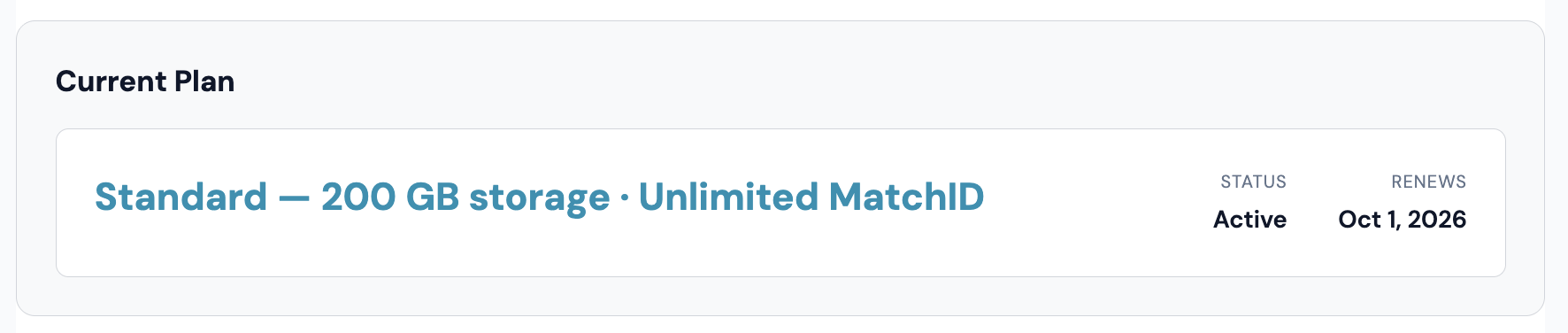
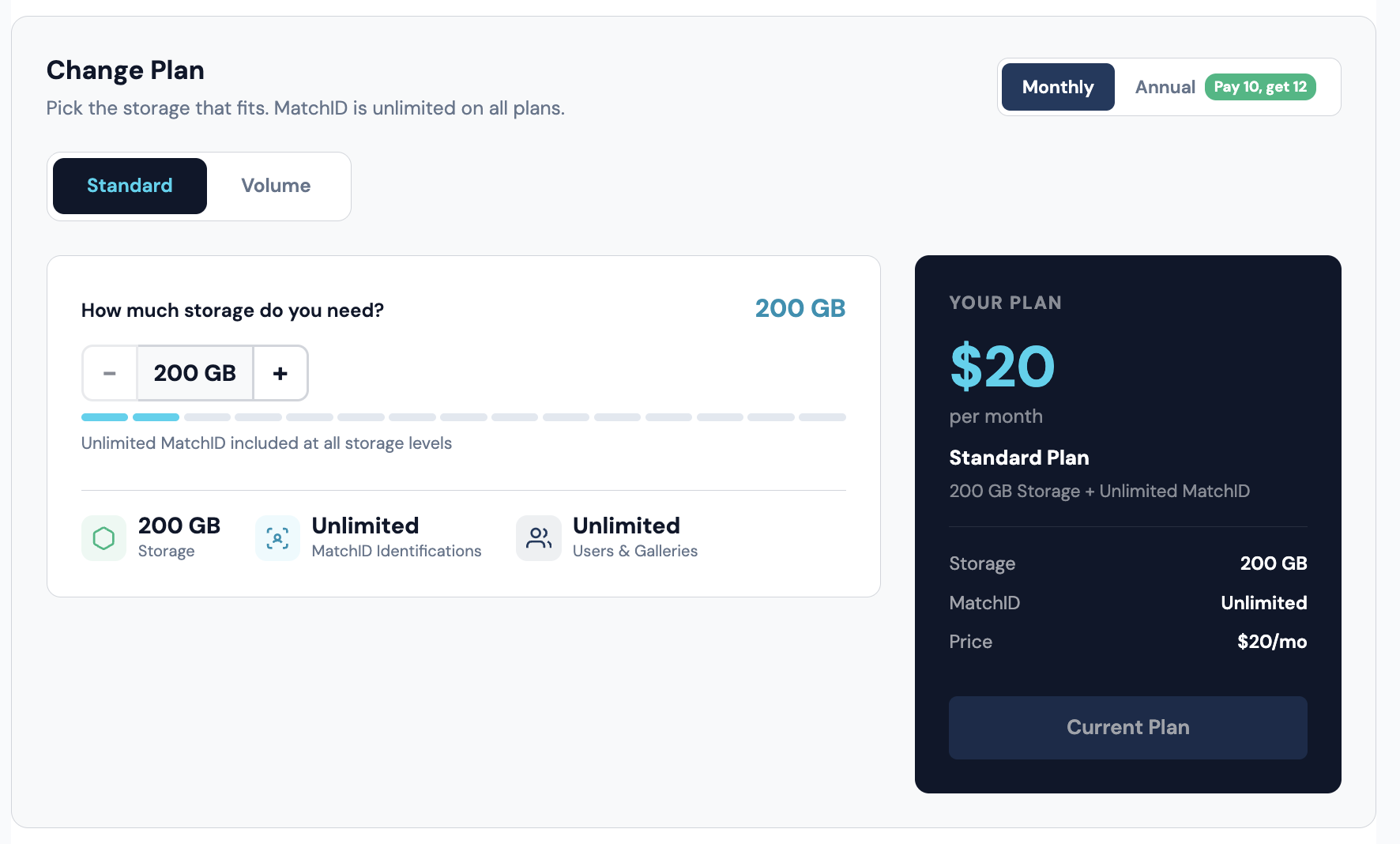
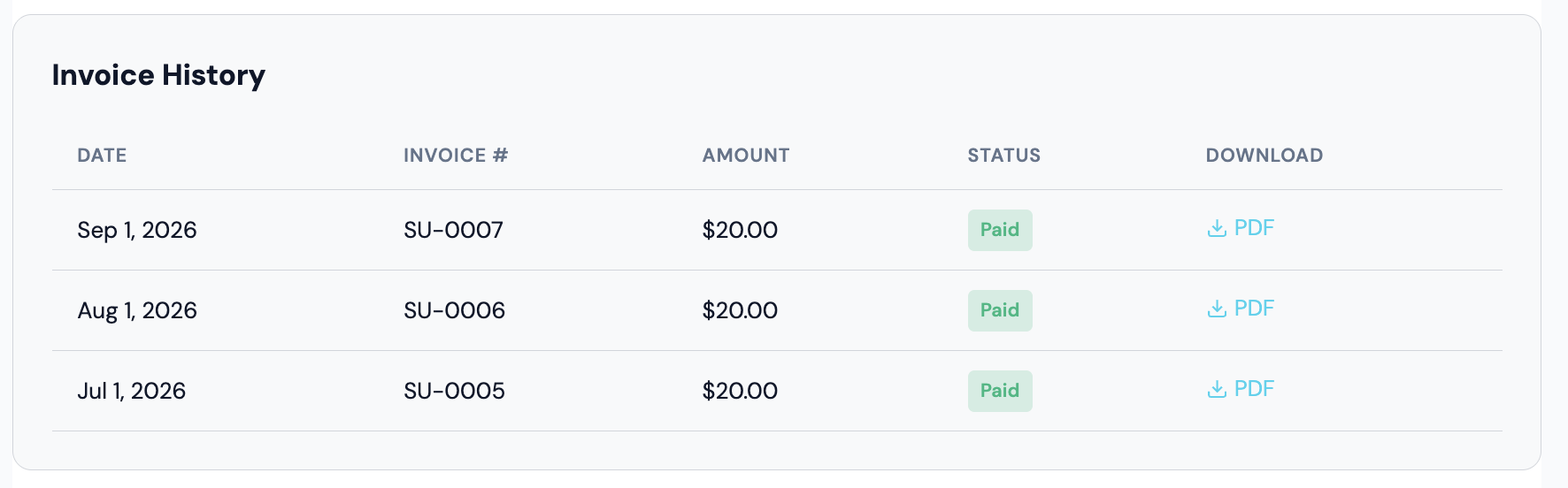
Your current plan, usage for the period, payment history and invoice downloads. Storage is the only line item, there are no photo caps, per-image charges or per-seat fees, and the feature set is the same at each size.
How Pricing Works
Storage is the only line item. You pick how much you need, and that's the bill. There aren't any photo caps, per-image charges, or per-seat fees, and the feature set is identical at the smallest plan and the largest one.
| Plan | Block size | Price per block | Range |
|---|---|---|---|
| Standard | 100 GB | $10/mo | 200 GB to 1.5 TB (2 to 15 blocks) |
| Volume | 500 GB | $40/mo | 2 TB and up (4 blocks minimum, no ceiling) |
You buy storage in blocks. Standard starts at 2 blocks, so the entry plan is 200 GB for $20/mo, and each additional 100 GB adds $10/mo up to 1.5 TB. Past that, Volume takes over at 500 GB per block.
What's included at any size
- •Unlimited MatchID identification, including facial recognition and jersey number reading
- •Unlimited users, galleries, collections and share links
- •FTP and PhotoShelter delivery
- •XMP metadata embedded on download
- •Roster and team library
- •White-label galleries on a custom domain
- •Folder-level permissions and role-based access
- •Download store with 0% commission, paid to your own Stripe account
Free Trial
New accounts get 14 days on the plan you pick at signup, with unlimited MatchID. A card is required to start, and the trial converts to that plan unless you cancel before it ends. There isn't a permanently free plan.
Viewing Your Subscription
Current Plan
Your subscription details live at Settings → Billing:
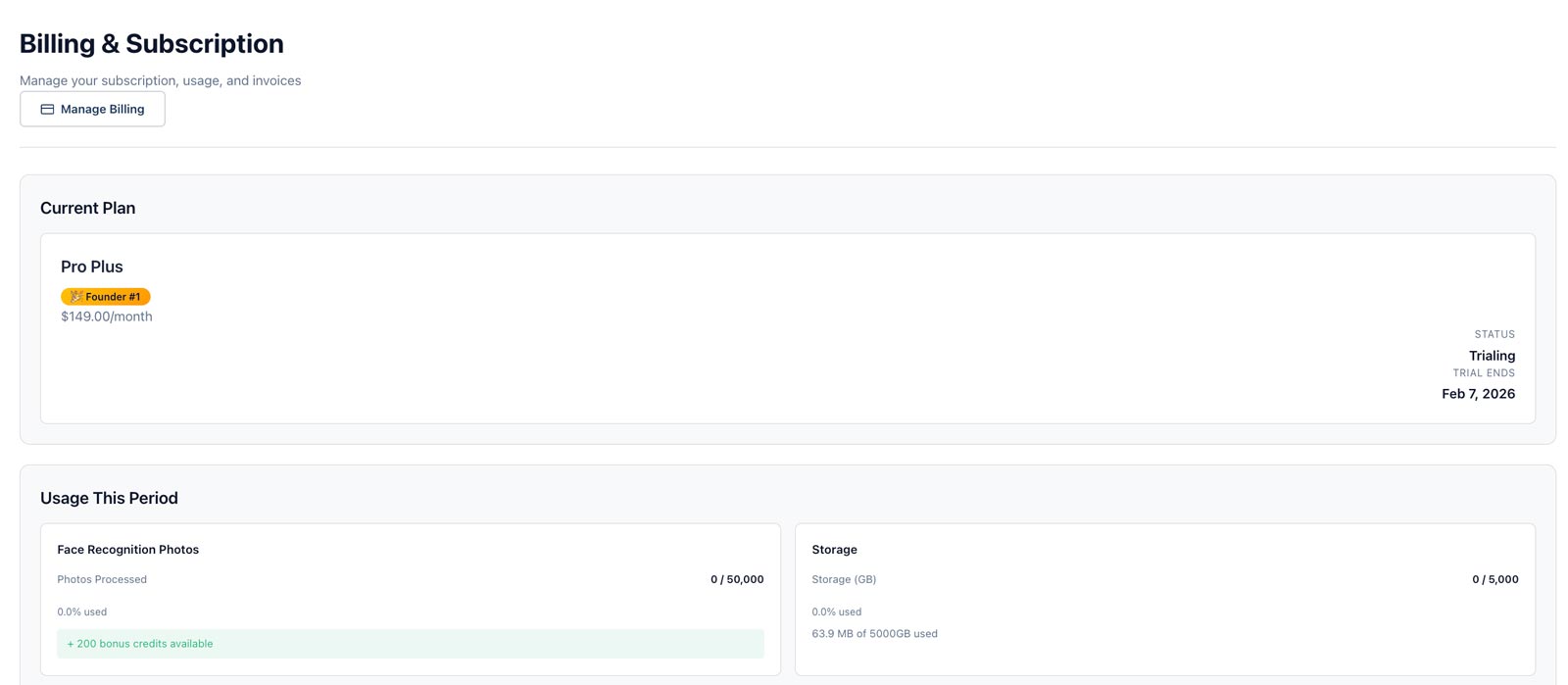
- •Plan name, block count and storage limit
- •Billing cycle (monthly or annual)
- •Next billing date
- •Payment method on file
- •Any discount applied to the account
Usage
The billing page tracks storage, because storage is the only thing that changes what you pay:
- •Storage used against your plan limit
- •User count and gallery count, shown for reference since both are unlimited
- •Photos processed this period, shown for reference since identification is unmetered
Changing Plans
Adding storage
- 1
Go to Settings → Billing
Scroll to the plan configurator. - 2
Pick your plan and size
Use the + and − buttons to set your storage. The price updates as you go. Pressing + past the Standard maximum moves you to Volume automatically. - 3
Confirm
Review the new total, then save the change.
Reducing storage
Drop blocks the same way you add them. The new limit applies right away, and the prorated credit shows up on your next invoice. If you're currently above the smaller limit, you'll get a grace period to remove photos rather than losing access to them.
Annual vs monthly
Annual billing is two months free:
- •Pay for 10 months, get 12
- •Same storage, same features, one charge per year
- •Switch at any renewal date
Payment Methods
Updating your card
- 1Go to Settings → Billing → Payment Method.
- 2Click "Update" next to your current card.
- 3Enter the new card details.
- 4Click "Save".
Failed payments
If a charge doesn't go through:
- •You get an email notification
- •Stripe retries the charge automatically over the following days
- •Update your payment method to avoid an interruption
- •The account is locked after the retries are exhausted
Invoices
Viewing invoices
All invoices are at Settings → Billing → Invoice History:
- •View and download PDF invoices
- •See payment status and dates
- •Filter by date range
What's on an invoice
- •Invoice number and date
- •Plan name, block count and storage
- •Prorations from any mid-cycle plan change
- •Discounts applied
- •Payment method used
- •Tax information, where applicable
Cancellation
Canceling your subscription
- 1Go to Settings → Billing.
- 2Click "Cancel Subscription".
- 3Select a reason. It's optional, but it helps us.
- 4Confirm.
After cancellation
- •The account locks once the paid period ends: uploads and sharing stop, sign-in and downloads stay open
- •Your photos are kept for 30 days after that
- •Then we email a deletion notice, and 14 days later the account and its photos are permanently deleted
- •Download anything you want to keep before the deletion date in that notice
- •Resubscribing any time before then restores the account as it was
Canceling during a trial
- •The trial ends when you cancel, and you won't be charged
- •The account locks right away: uploads and sharing stop, and your public galleries and share links go offline. Sign-in and downloads stay open for you and your team
- •You have 14 days to download your photos. The cancellation email gives the deletion date
- •After those 14 days the account and its photos are permanently deleted
- •Subscribing before then restores the account as it was. Billing starts that day, since the trial has been used